Your own agent cloud.
One Core, every machine you own.
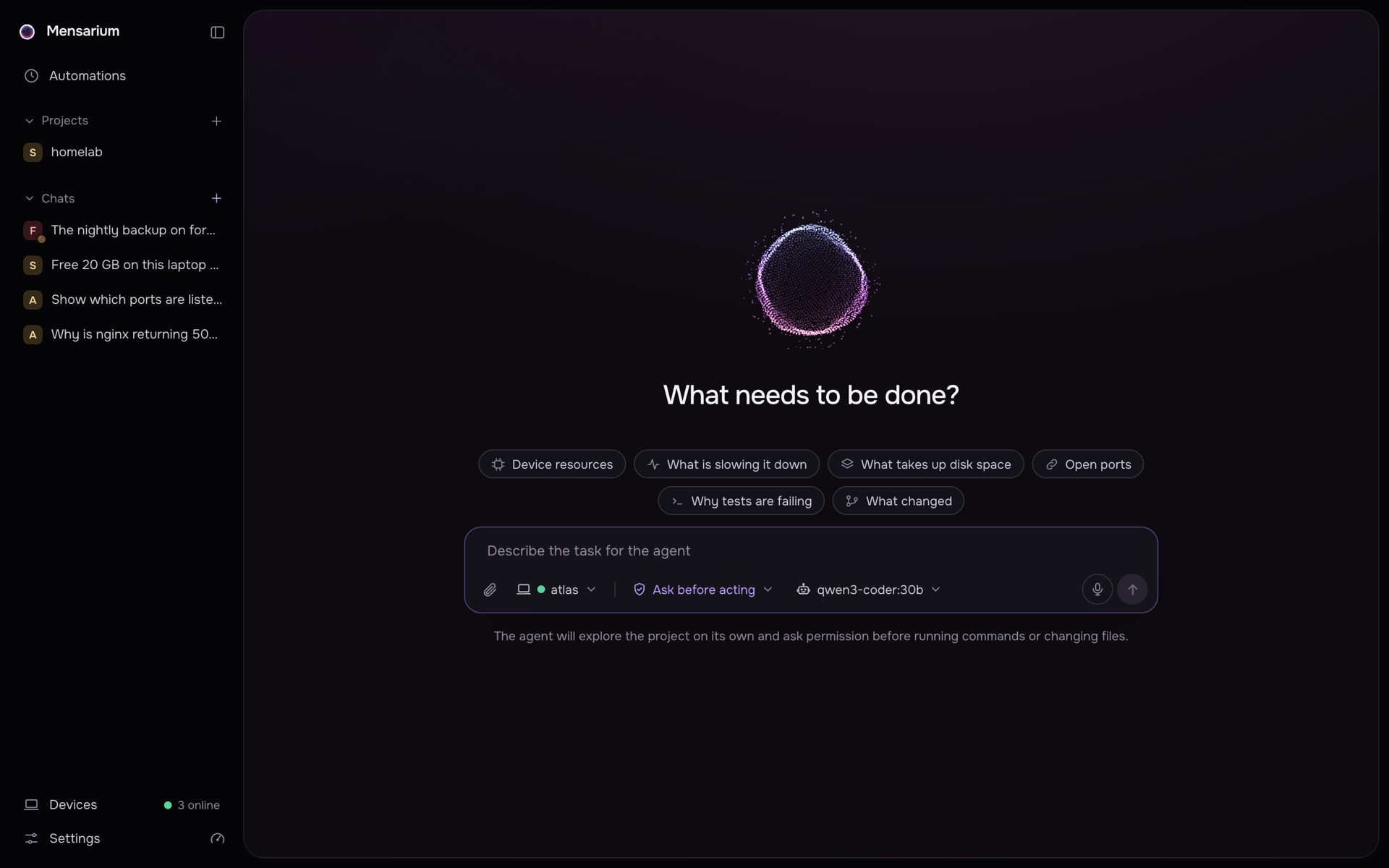
Install Mensarium on a server or a laptop, pair your other computers, and give the agent work from a browser or Telegram. The model never touches a machine directly: every action is a signed request your Core checks first.
curl -fsSL https://mensarium.com/install.sh | sh
How it works
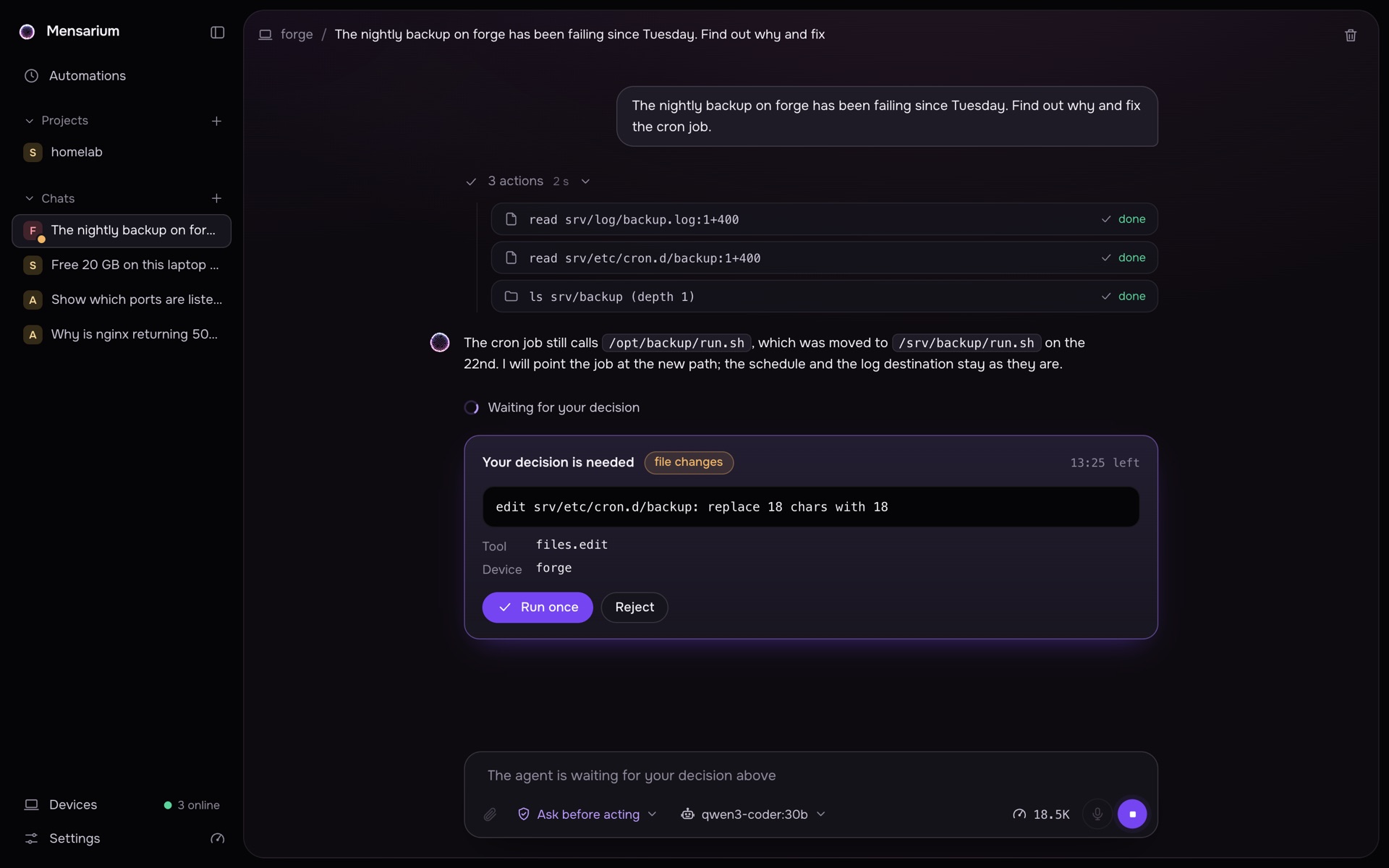
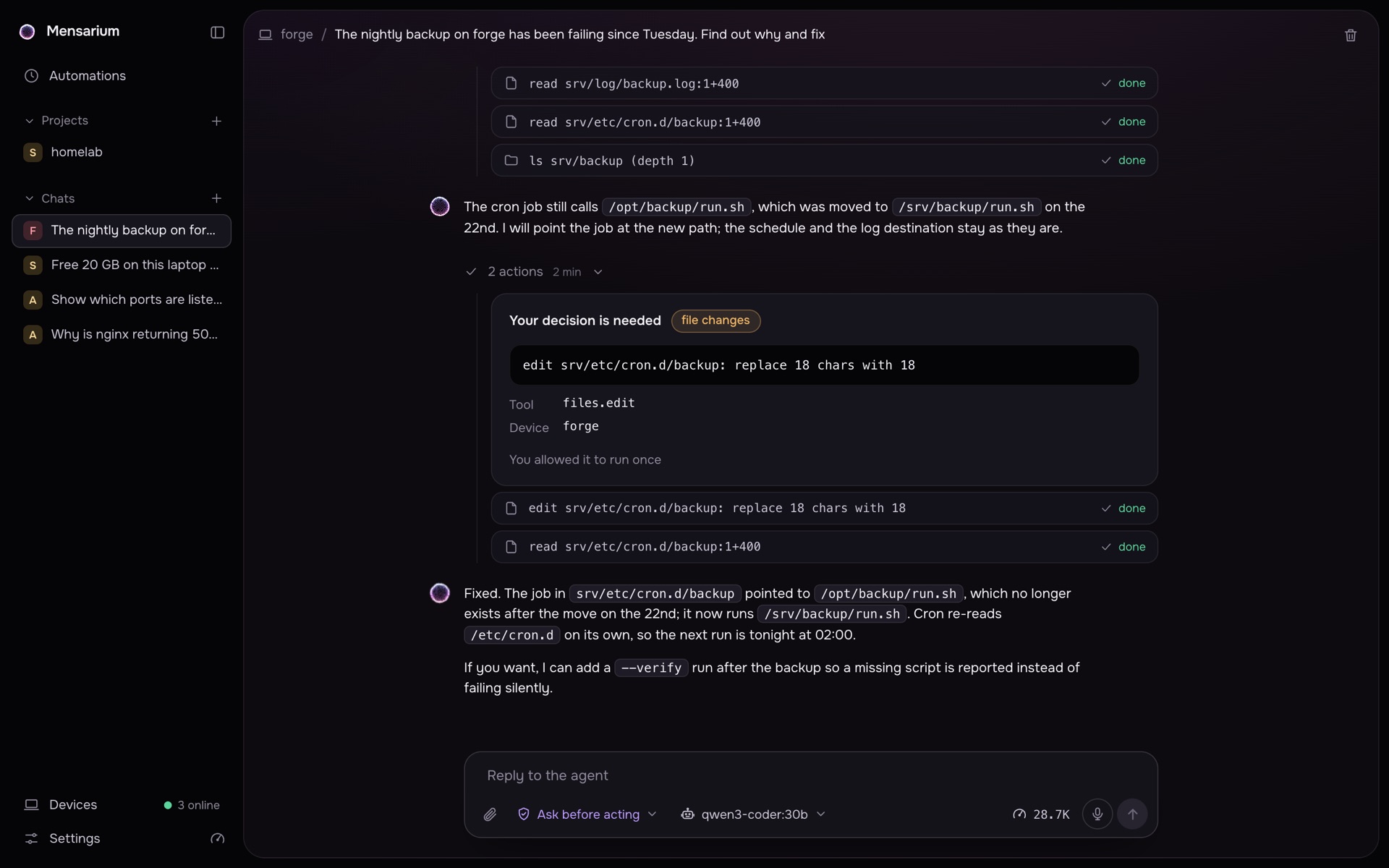
Core is the one place that talks to the model, checks every action and keeps the log. Your machines connect to it and run only what it signed. Here is one task from start to finish.
You write a task in the browser on any of your machines, or in Telegram.
- A new machine joins with a one-time code that expires in ten minutes.
- Machines dial out to Core. They open no ports and never talk to each other.
- The machine that runs Core is a device too. There is nothing else to install on it.
Keep working with the laptop closed
Start a project from a folder on any of your machines. Core keeps its own copy, so the agent keeps working while that machine sleeps, and the results come back when it wakes up.
Coming soonAlready works for a project from a git link: Core clones the repository and runs every chat on its own copy.
~/projects/homelabmensarium/caddy-migration-7f2amensarium/backup-healthcheck-c91emensarium/grafana-port-3b08mensarium/caddy-migration-7f2amensarium/backup-healthcheck-c91emensarium/grafana-port-3b08Pick a folder or a repository on any paired machine. Core reads it and keeps its own copy, without .env files and keys.
Nothing runs unsigned
When an action would change files, run a program or reach the network, the chat stops and asks. You see the exact command, the machine and the risk, and allow it once. The same request arrives in Telegram as two buttons.
Start in two commands
One line installs uv, Python and the package into your home folder. No Docker, no accounts. Everything else is asked by the setup itself: port, model provider, which folders and programs the agent may use on this machine.
On every other machine the same installer and mensarium client: paste the pairing code, and the device is online in a few seconds.
$ curl -fsSL https://mensarium.com/install.sh | sh
  Portable Agent Harness installer

  ✓ Fetching Mensarium source
  ✓ Installing uv (Python toolchain manager)
  ✓ Preparing Python 3.12 environment
  ✓ Installing Mensarium and dependencies
  ✓ Command installed: ~/.local/bin/mensarium

  Next step on this machine:
    mensarium core     run the Core here (the agent's brain, the web UI and its first device)
    mensarium client   connect this machine to a Core

$ mensarium core
  Core setup: the main agent, the web UI and this machine as the agent's first device

── Step 1/4  Network ──────────────────────────────────
? Port for the API (clients connect here): 8787
? Who should be able to reach the Core? Devices in my network (clients on other machines)
? URL clients will use to reach the Core: http://10.0.1.4:8787

── Step 2/4  LLM provider ─────────────────────────────
? Where does the model run? Claude Code on this machine (logged in, no API key needed)
? Default model (type to filter, Tab to complete): sonnet

── Step 3/4  This machine as a device ─────────────────
? Name for this machine: atlas
? Folders the agent may read and work in: /srv, /home/v/projects
? Which programs may shell.exec run (every run still needs your approval)? Common developer tools (git, python, pytest, npm, make, ...)
? Allow full-access mode on this machine (all files and programs, including system commands, without asking, within OS permissions)? Yes
? Allow the Core to run MCP servers from plugins on this machine (programs must be in the list above)? Yes
? Allow the agent to run bash scripts on this machine (each script is approved by you in the chat)? Yes
✅ Core signing key fingerprint: 7C2E:91A4:0B6D:E3F8
✅ Configuration saved to /home/v/.mensarium/core/config.yaml

── Step 4/4  Service ──────────────────────────────────
? Run the Core as a background service (starts on login/boot)? Yes
✅ Core is running (systemd unit mensarium-core.service)

╭─ Mensarium Core is ready ────────────────────────────╮
│                                                       │
│  Core URL  http://10.0.1.4:8787                          │
│  Provider  claude_code / sonnet                          │
│  Device    atlas: /srv, /home/v/projects                 │
│  Data      /home/v/.mensarium                            │
│                                                       │
│  Open the web UI: http://10.0.1.4:8787/login?link=…   │
│  Other machines: `mensarium core pair-code` here,     │
│  `mensarium client` there.                            │
╰───────────────────────────────────────────────────────╯
$ curl -fsSL https://mensarium.com/install.sh | sh
  Portable Agent Harness installer

  ✓ Fetching Mensarium source
  ✓ Installing uv (Python toolchain manager)
  ✓ Preparing Python 3.12 environment
  ✓ Installing Mensarium and dependencies
  ✓ Command installed: ~/.local/bin/mensarium

$ mensarium client
  Client setup: this machine becomes a device of the Core

── Step 1/4  Connect to the Core ──────────────────────
? Core URL: http://10.0.1.4:8787
✅ Core reachable at http://10.0.1.4:8787

── Step 2/4  Workspace access ─────────────────────────
? Folders the agent may read and work in: /home/v/work, /etc/cron.d
? Which programs may shell.exec run (every run still needs your approval)? Custom list
? Programs, comma separated: git, make, uv, python3, journalctl, systemctl, df, du
? Allow full-access mode on this machine (all files and programs, including system commands, without asking, within OS permissions)? No
? Allow the Core to run MCP servers from plugins on this machine (programs must be in the list above)? Yes
? Allow the agent to run bash scripts on this machine (each script is approved by you in the chat)? Yes
? Allow the Core to update this agent from its web UI (downloads the release from the Core and restarts the agent)? Yes

── Step 3/4  Pairing ──────────────────────────────────
? Name for this machine: forge
? Pairing code from the Core (Devices -> Pair new device): CEDAR-HARBOR-4821
✅ Paired as tgt_01k6a3m9x2b7r4qz8v5n1c0p6h
✅ Core key fingerprint: 7C2E:91A4:0B6D:E3F8 (compare with Settings in the web UI)

── Step 4/4  Service ──────────────────────────────────
? Let the agent work on this machine (run tools here)? Yes
? Open the web UI on this machine (gateway)? No
? Run the client as background services? Yes
✅ client is running (systemd unit mensarium-client.service)

╭─ Client is ready ────────────────────────────────────╮
│                                                       │
│  Name         forge                                   │
│  Core         http://10.0.1.4:8787                    │
│  Worker       enabled                                 │
│  Roots        /home/v/work, /etc/cron.d               │
│  Full access  disabled                                │
│  Gateway      disabled                                │
│                                                       │
│  The device appears as online in the web UI within    │
│  a few seconds.                                       │
╰───────────────────────────────────────────────────────╯
What the agent works with
Chats are only the front. Behind them Core keeps projects with their own branches, scheduled runs, plugins and skills, notes it remembers, and a hashed activity log, all in one place and all yours.
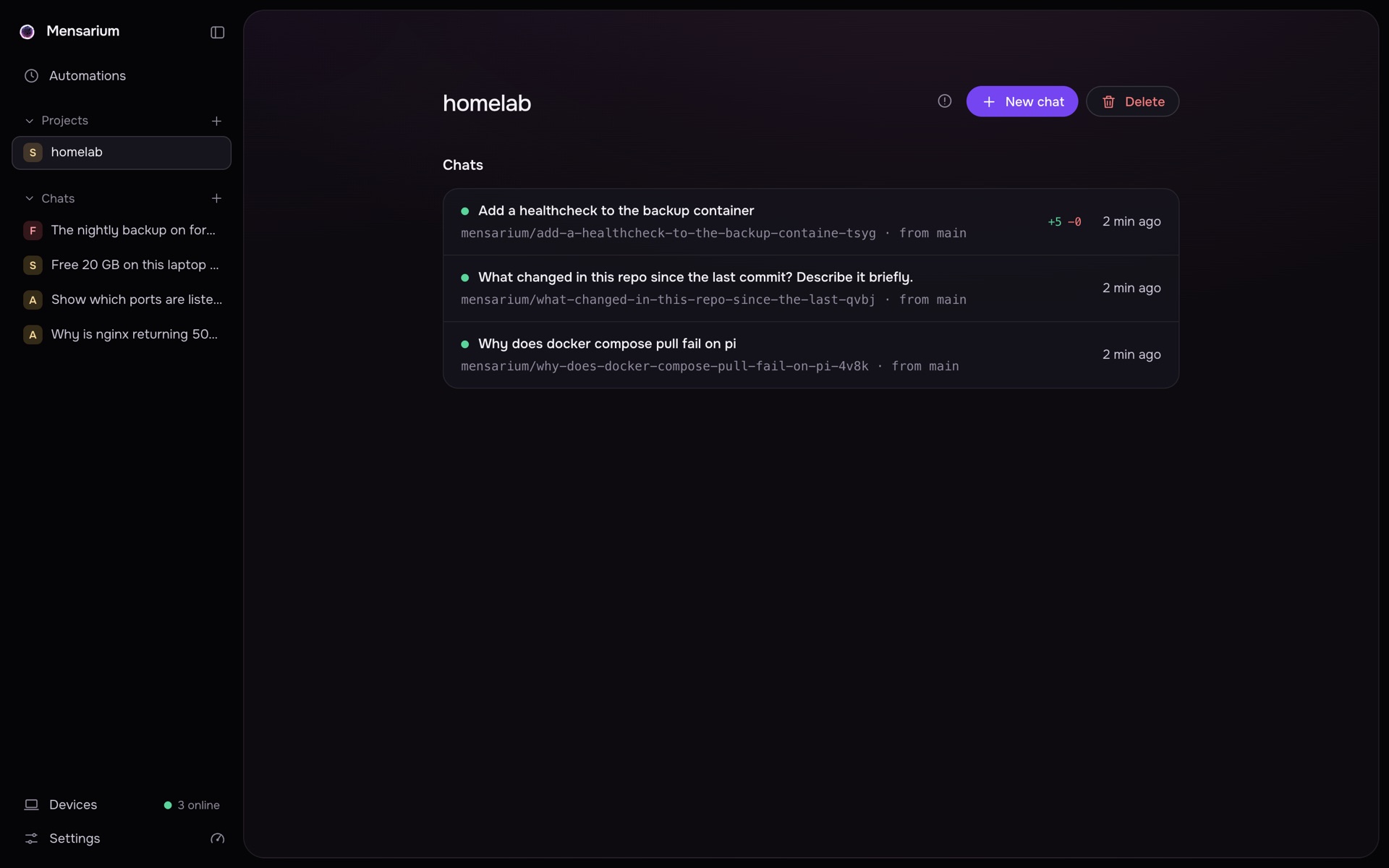
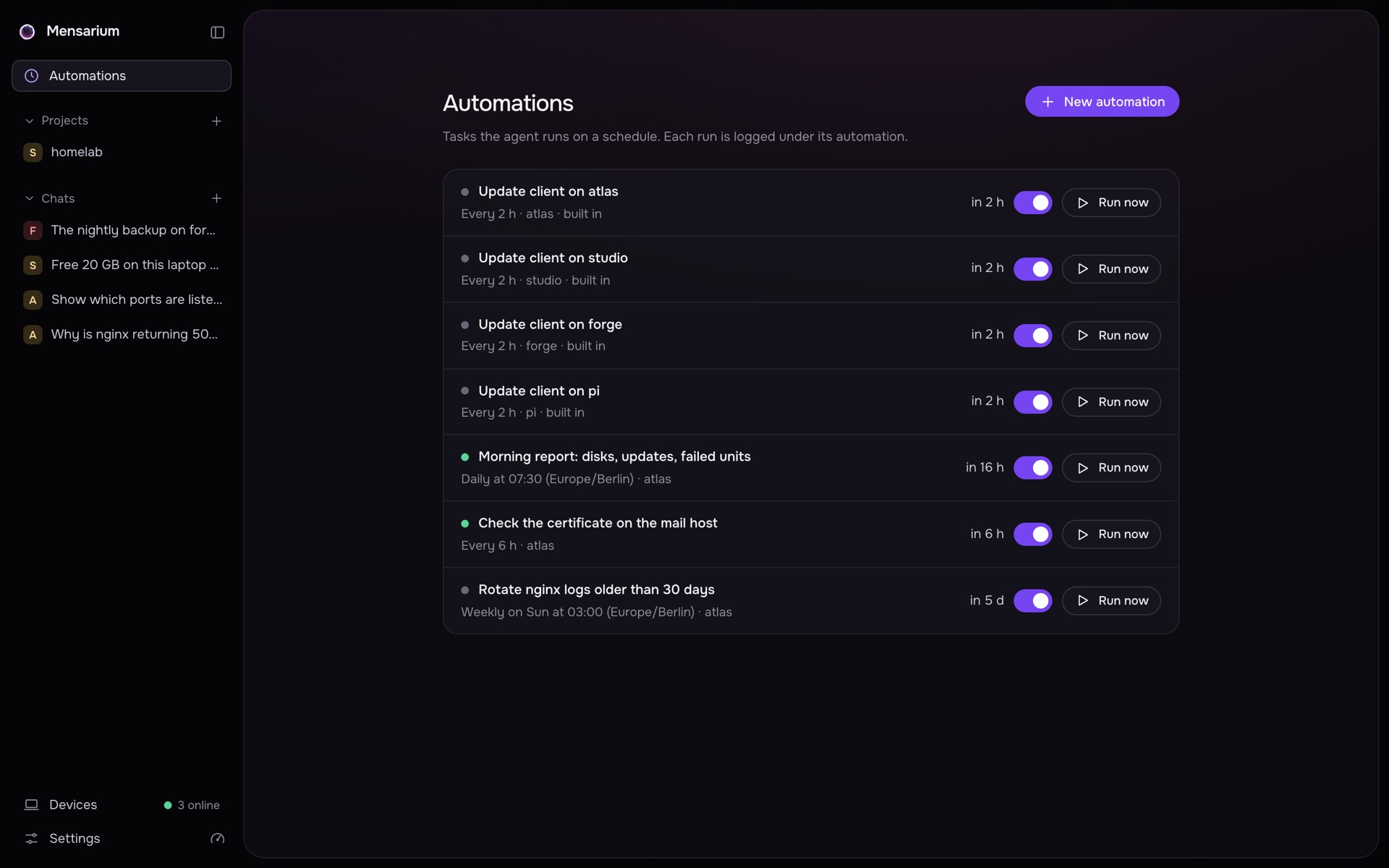
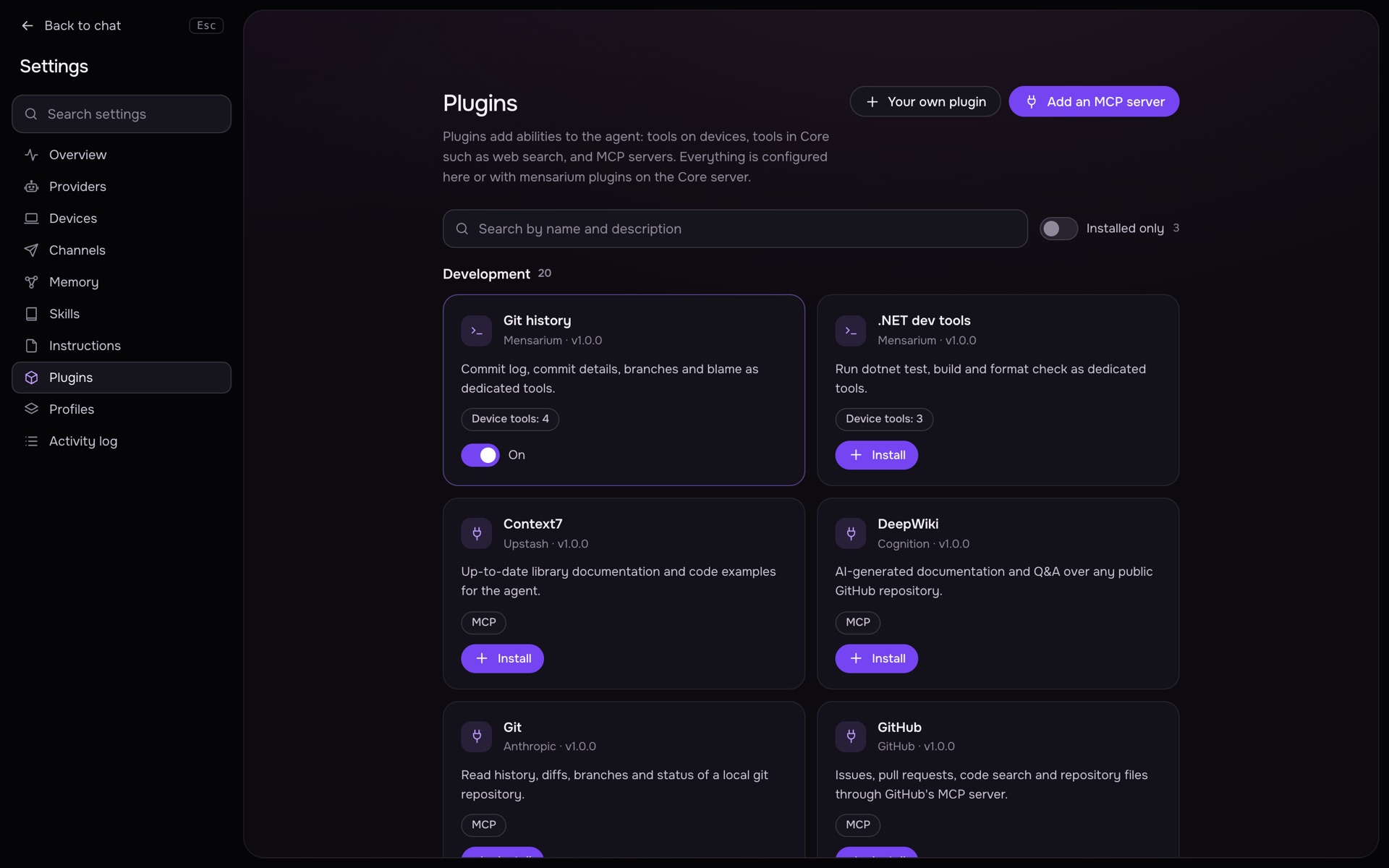
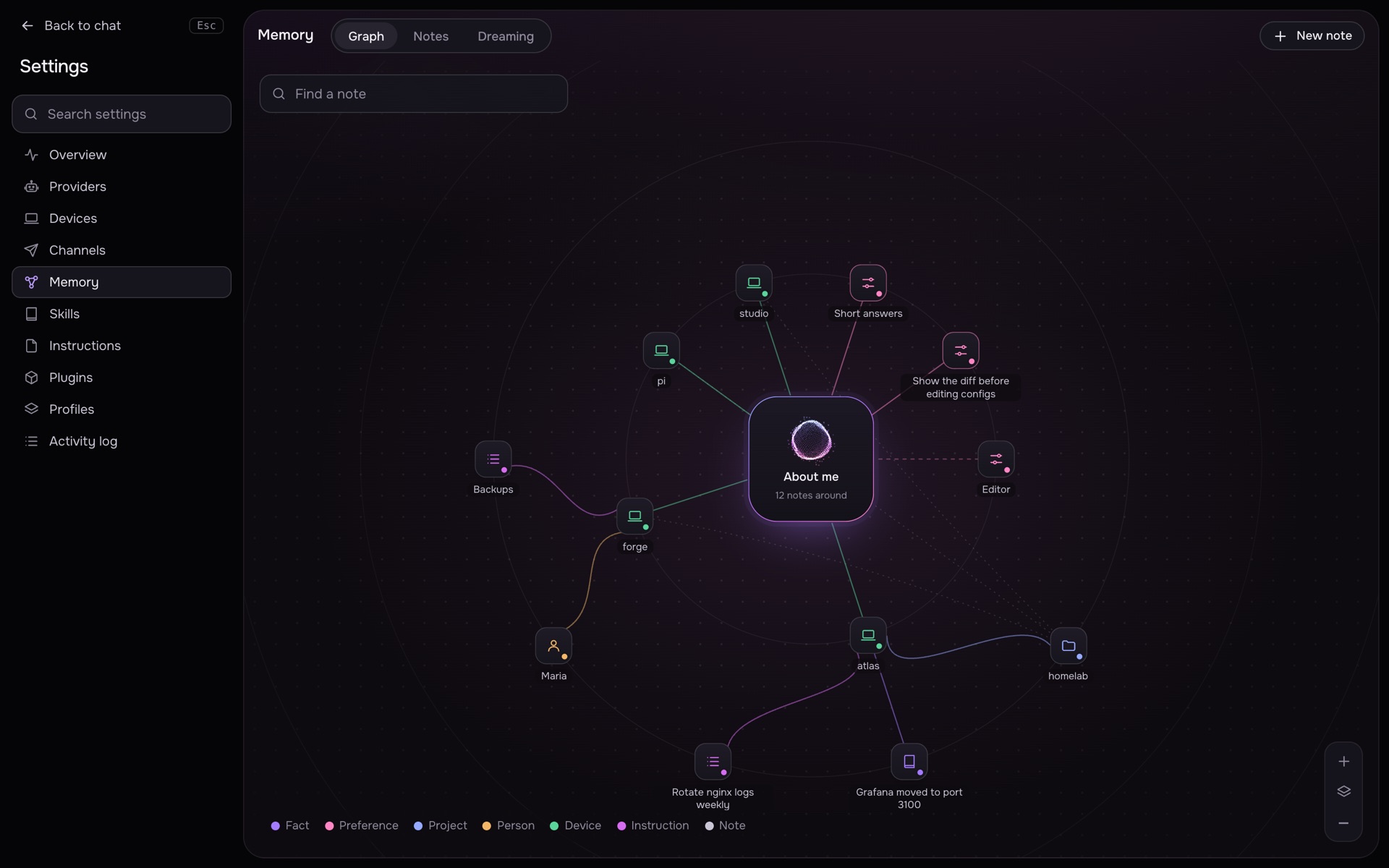
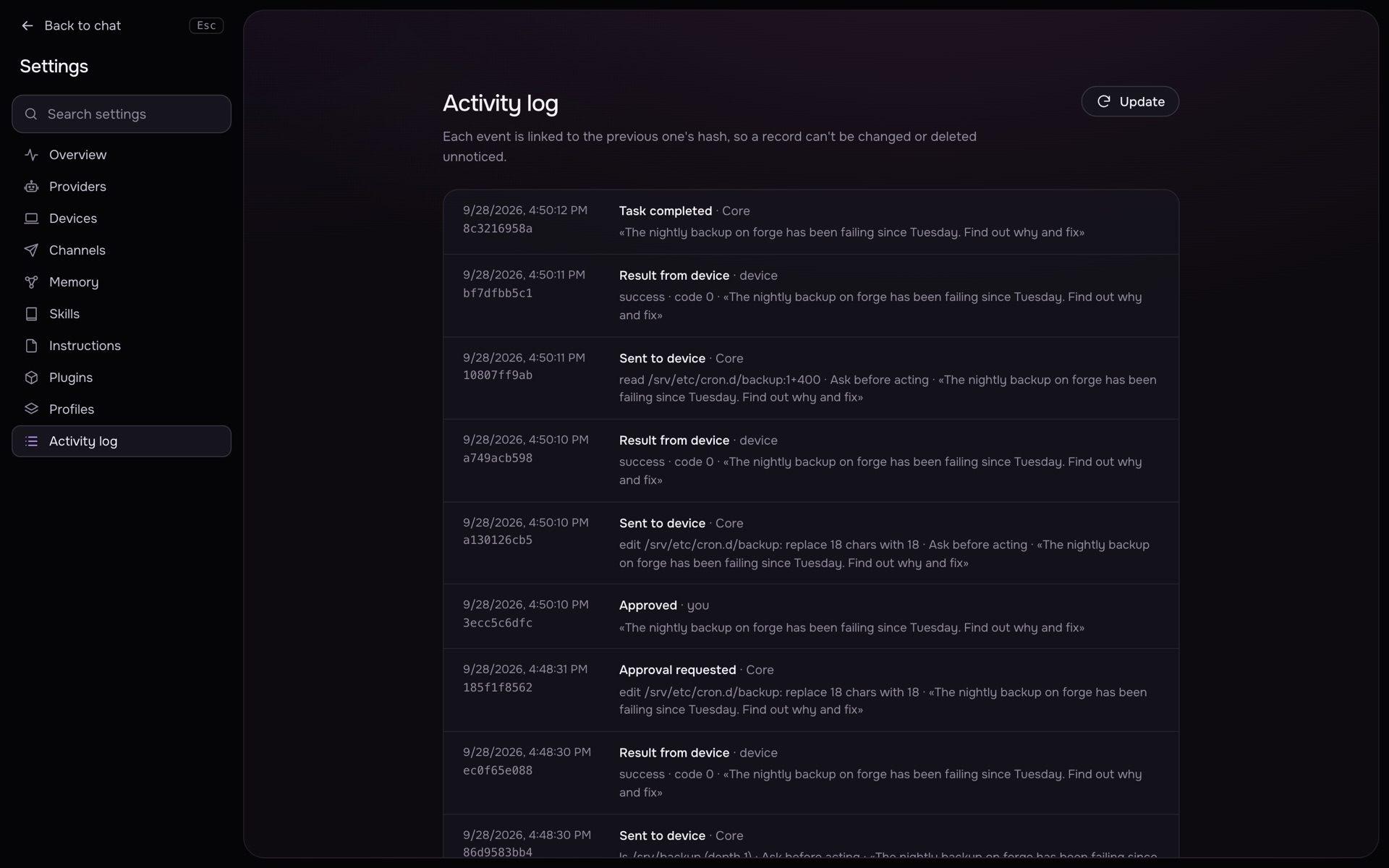
Every screen on this page is the product as Core serves it, captured from a running installation with a few paired machines.
Bring your own model
Claude Code and Codex already on the Core host, Ollama, llama.cpp and LM Studio on your own hardware, or OpenAI, OpenRouter and any OpenAI-compatible endpoint with a key. Change the provider in settings; nothing else changes.
- Claude CodeCLI on the Core host, its own login
- CodexCLI on the Core host, its own login
- Ollamalocal server or Ollama Cloud
- llama.cpplocal server
- LM Studiolocal server
- OpenAIAPI key, kept in Core
- OpenRouterAPI key, kept in Core
- OpenAI-compatibleany base URL
Nothing leaves your machines
There is no hosted tier and no account. Core is the only process that holds keys, and it runs where you put it.
- Keys and tokens live in Core and never reach a prompt, a device or a log. Integrations get a reference like
secret://name, not the value. - The agent reads files, not secrets:
.env, tokens and private keys are cut out before the model sees them. - Every request to a device carries a signature, a nonce and a deadline. A replayed or altered request is dropped.
- Core checks mensarium.com for updates and talks to nobody else. Devices talk only to Core.
- The activity log is a hash chain. Export a password-protected backup and move Core to another machine when you want.
One line to your own agent cloud
curl -fsSL https://mensarium.com/install.sh | sh
macOS and Linux. Python 3.12 and uv are installed for you into ~/.mensarium.